Password Generator — Why Random Passwords Are the Only Strong Passwords
Humans are terrible at creating random passwords. We think we're being clever, but we're following patterns attackers cracked decades ago. Here's why generated passwords are the only truly strong ones.
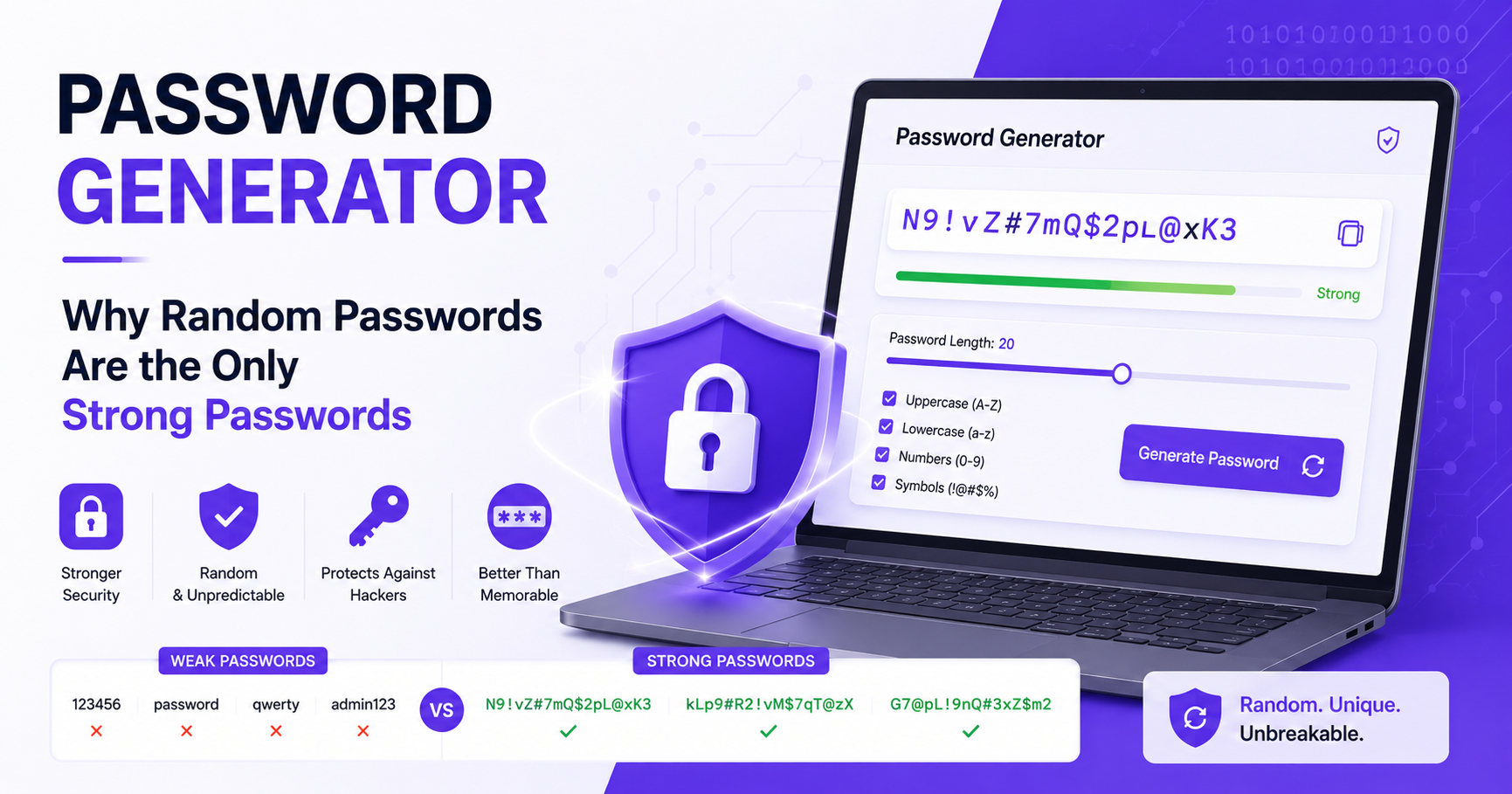
The Password You Just Made Up Is Probably Terrible
I don't mean that personally. It's just that humans are genuinely bad at creating random passwords. We think we're being clever — mixing a word with some numbers and a symbol — but we're actually following patterns that attackers have known about for decades.
Think about how most people create passwords. They start with a word they can remember. Maybe their pet's name, their city, their favorite sports team. Then they add a number — usually their birth year, or just "123". Then they capitalize the first letter because most sites require it. Then they add an exclamation mark at the end because that satisfies the "special character" requirement.
The result: Fluffy1998!
This password would take a modern computer approximately 3 hours to crack. Not 3 years. Not 3 months. 3 hours.
A randomly generated password of the same length? Potentially thousands of years.
That gap — between what feels secure and what actually is secure — is exactly what a password generator closes.
Why Human-Created Passwords Are Weak
The problem isn't intelligence. It's predictability. Human brains gravitate toward patterns, meaning, and memorability. Those are all the wrong qualities for a password.
Password cracking tools don't guess randomly. They use dictionaries — massive lists of real words, common names, known leaked passwords, and every variation of them. They try "password", then "Password", then "P@ssword", then "P@ssw0rd". They try every word in the dictionary with numbers appended. They try keyboard patterns like "qwerty" and "123456".
If your password was created by a human brain, there's a good chance it fits one of these patterns. And if it's in a pattern, a cracking tool will find it.
Random passwords don't have this problem. There's no pattern to exploit. No dictionary to check against. The attacker has to try every possible combination, which for a sufficiently long random password takes longer than the age of the universe.
What Makes a Password Actually Strong
Security researchers measure password strength in "bits of entropy" — essentially, how many guesses would be required to crack it by brute force. The higher the entropy, the stronger the password.
Four things determine this:
Length — the single most important factor. Every additional character multiplies the number of possible combinations exponentially.
Character set — using lowercase only gives you 26 options per character. Adding uppercase gives 52. Adding numbers gives 62. Adding symbols gives 90+. More options = more entropy per character.
Randomness — true randomness matters. A "random-looking" password you created yourself probably isn't truly random.
Uniqueness — a strong password used on 20 sites is weaker than a moderately strong password used on only one site. Reuse is a major vulnerability.
In practice: a randomly generated 16-character password using letters, numbers, and symbols is effectively uncrackable with current technology. A 20-character one will stay secure for the foreseeable future regardless of how computing power advances.
How to Use a Password Generator
The Password Generator at 2FA.AC generates truly random passwords directly in your browser. Here's how to use it effectively:
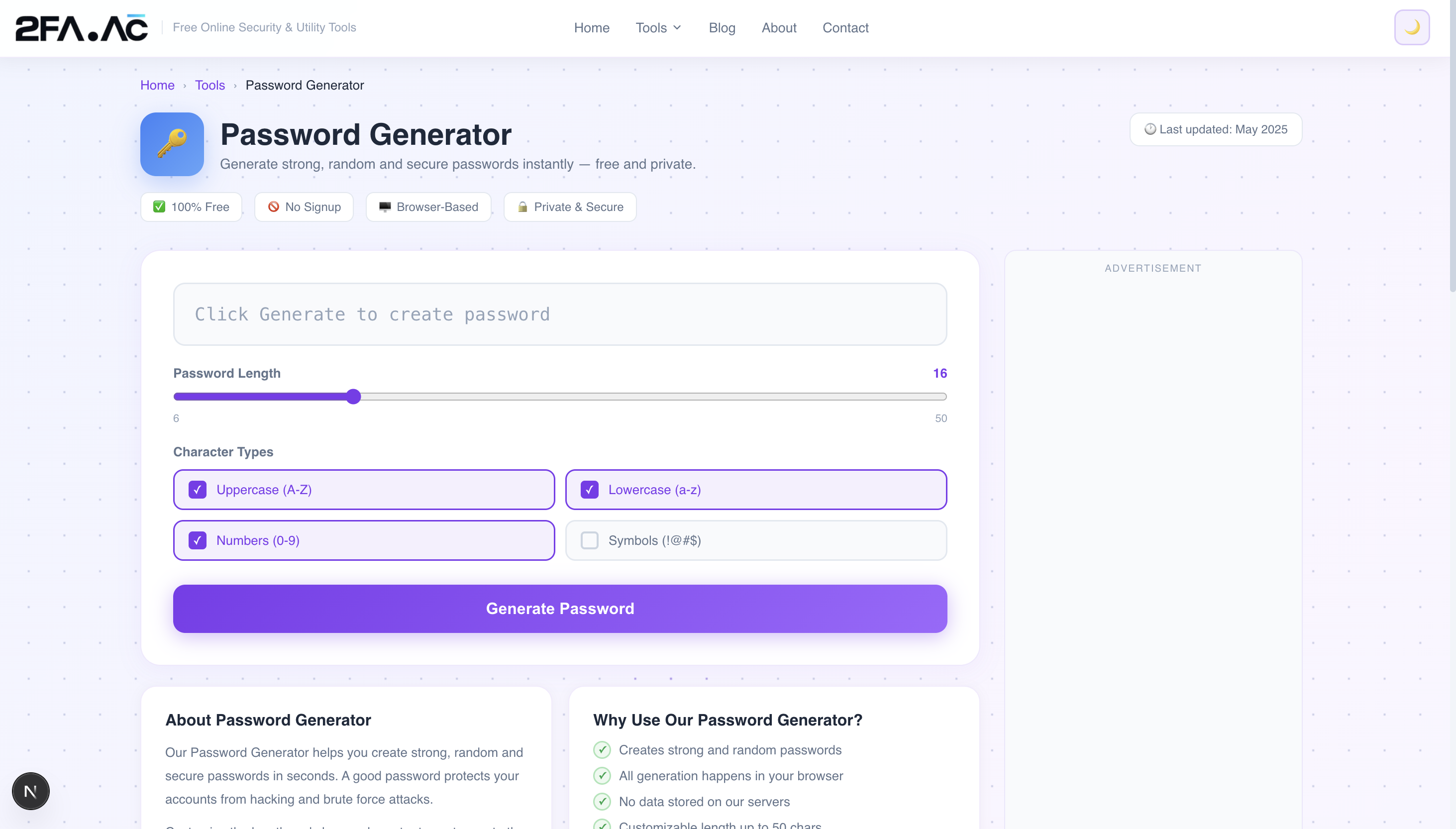
Choose your length
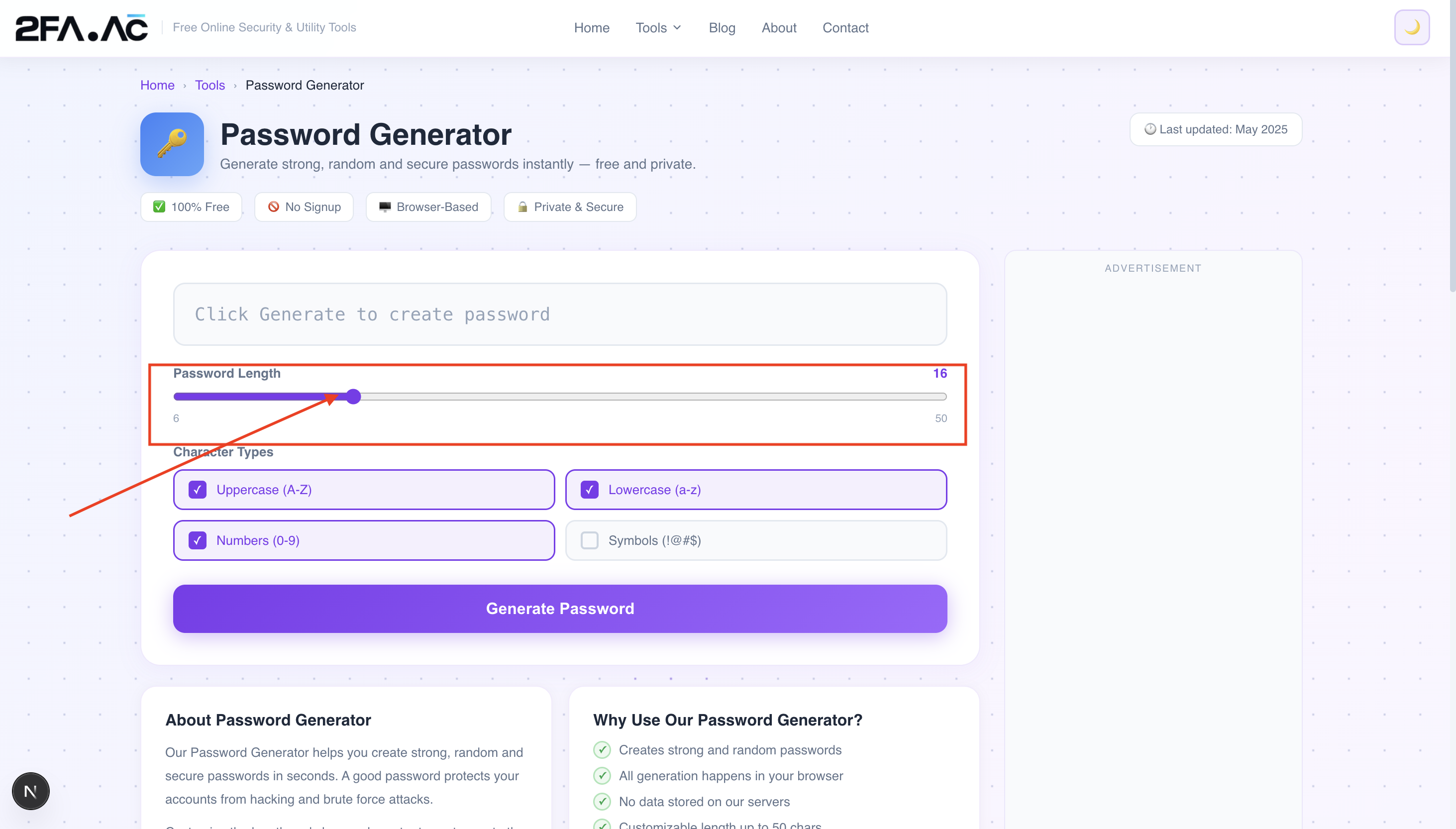
For most accounts: 16 characters minimum. For high-value accounts (banking, email, password manager master password): 20+ characters. The generator goes up to 64 characters if you want to be thorough.
Choose your character types
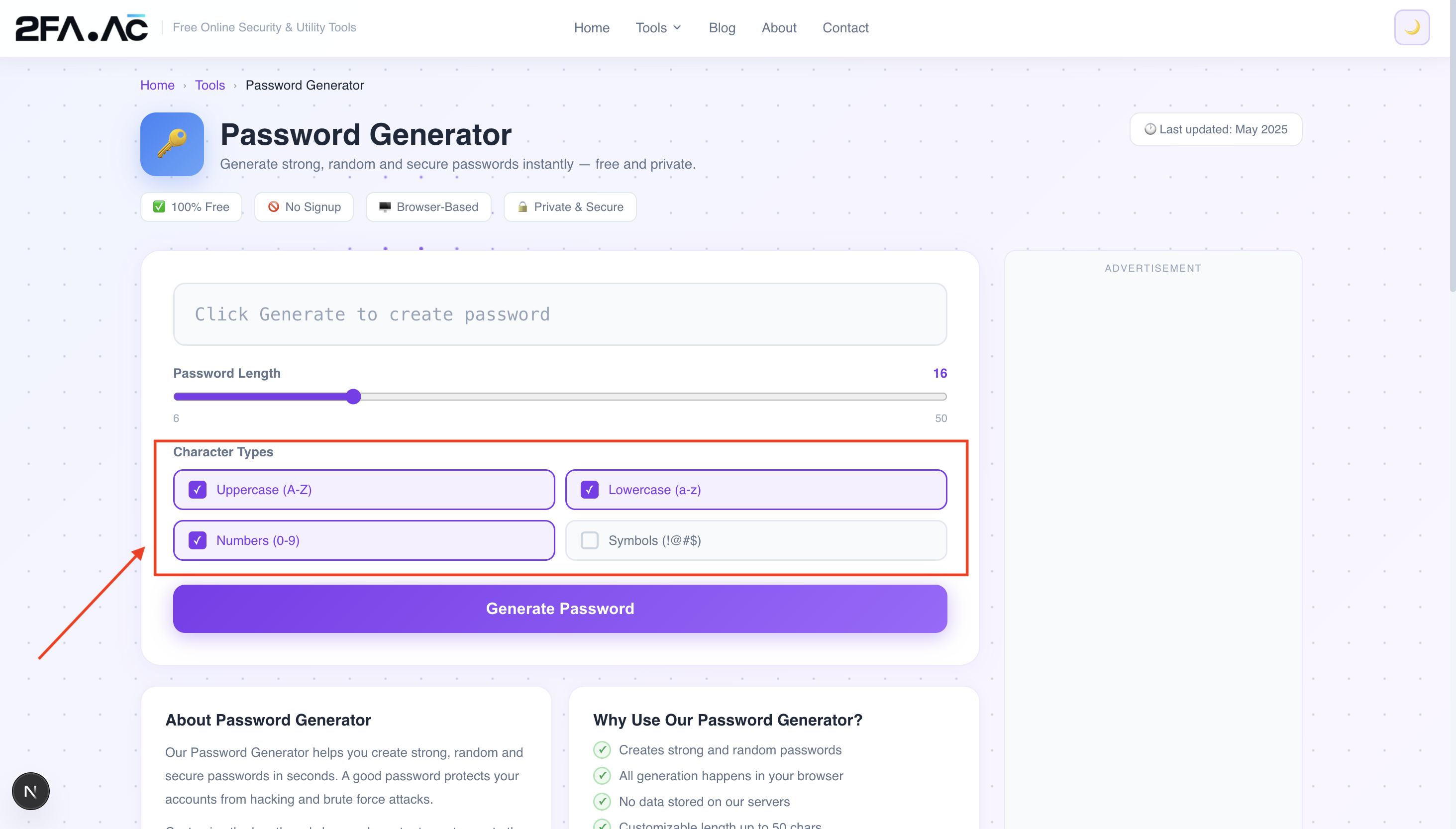
For maximum security, use all four: uppercase letters, lowercase letters, numbers, and symbols. Some websites don't accept certain symbols — if a generated password gets rejected, regenerate without symbols rather than weakening it in other ways.
Generate and copy
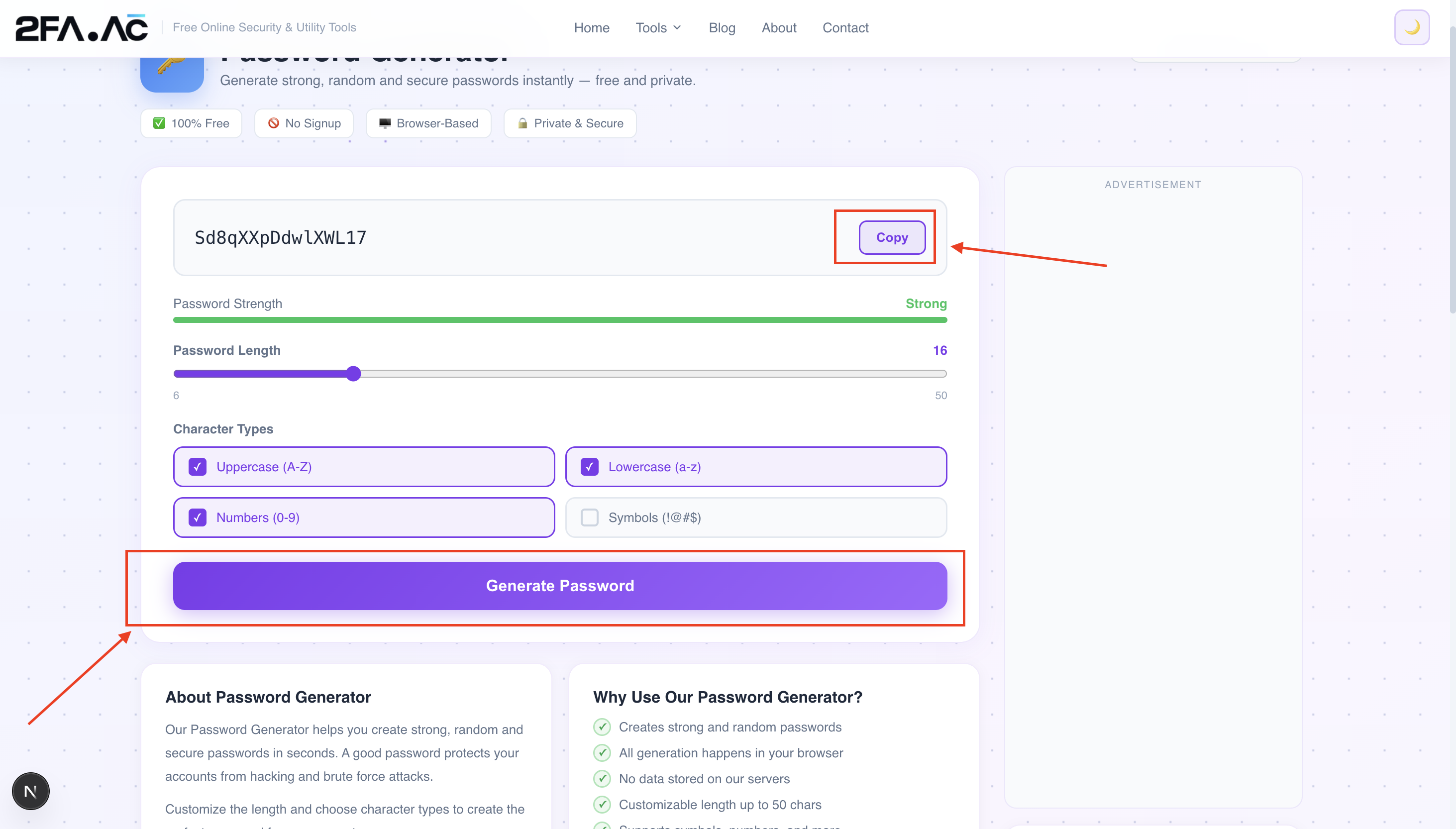
Click generate. Copy the result. Done. Don't try to remember it — that's what a password manager is for.
Store it properly
A password generator is only half the solution. The other half is storing what it creates. Use a password manager — Bitwarden (free), 1Password, or Dashlane. These apps remember every password for you, autofill them when you need them, and keep everything encrypted.
The Password Reuse Problem
Here's something most people don't think about: even a strong password becomes a weak one if you use it on multiple sites.
Imagine you have a genuinely strong password — 20 random characters, perfect entropy. You use it for Gmail, Instagram, Amazon, and your bank. One of those sites gets breached. The attacker now has your email address and your strong password. They try it on every other major site. Suddenly, all four accounts are compromised — not because your password was weak, but because it was reused.
This is called credential stuffing, and it accounts for a huge proportion of account takeovers. Attackers buy lists of breached credentials and automatically test them across hundreds of sites.
The solution is simple but inconvenient without a password manager: every account gets its own unique generated password. With a password manager, this becomes effortless — you generate a new password for every site, save it, and never think about it again.
What About Passphrases?
You might have heard the advice to use passphrases — strings of random words like "correct horse battery staple" — instead of character-based passwords. This approach has real merit:
Passphrases can be genuinely strong if they use enough random words (4+ words from a large word list)
They're easier to type, which matters for things like your computer login or password manager master password
They're easier to remember, again useful for the handful of passwords you need to memorize
The catch is that "random" is the key word. "I love my dog Fluffy" is not a strong passphrase — it follows predictable patterns. True passphrase strength comes from picking words randomly from a large list, not from choosing words that mean something to you.
For most accounts that you'll access through a password manager (which means you'll never type the password manually), randomly generated character-based passwords are slightly stronger for their length than passphrases. For passwords you need to type and remember — your computer login, your password manager master password — a randomly generated passphrase is often the better choice.
How the Password Generator Actually Works
A good password generator doesn't use Math.random() — the standard JavaScript random function that's designed for games and simulations, not security. It uses the Web Crypto API, specifically crypto.getRandomValues(), which generates cryptographically secure random numbers.
The difference matters. Math.random() is seeded with predictable values and can, in theory, be reverse-engineered if an attacker knows enough about the environment. crypto.getRandomValues() uses entropy from the operating system — hardware events, timing variations, system noise — to generate numbers that are genuinely unpredictable.
The 2FA.AC Password Generator uses the Web Crypto API and runs entirely in your browser. The generated password never touches any server — it exists only on your screen until you copy it.
Common Mistakes When Using a Password Generator
Modifying the generated password
Some people take a generated password and tweak it to make it "easier to remember" — replacing a random character with something meaningful, or moving things around. Don't. Every modification you make reintroduces human patterns and reduces the randomness that made it strong.
Using it for only some accounts
It's tempting to use strong unique passwords for "important" accounts and reuse a remembered password for "unimportant" ones. The problem is that attackers don't care whether you think an account is important. A breached "unimportant" account that reuses your email password is very important to them.
Not pairing it with a password manager
A password generator without a password manager means you either have to remember the generated passwords (impossible for more than a few) or write them down somewhere insecure. Use both tools together.
Not enabling 2FA after updating passwords
A strong unique password is excellent protection. A strong unique password plus two-factor authentication is dramatically better. After updating your passwords with generated ones, enable 2FA on every account that supports it — especially email and banking. You can generate 2FA codes directly at 2FA.AC.
Where to Start
If you're going to change one thing about your password habits after reading this, make it this: start using a password generator for every new account you create from today forward.
You don't have to go back and change all your existing passwords at once — that's overwhelming. But every new account gets a generated password stored in a password manager. Over time, as you naturally log into old accounts and get prompted to update passwords, replace those too.
Within a few months, you'll have a majority of your accounts protected by genuinely strong, unique passwords — without any extra mental effort, because you're not trying to remember any of them.
Start now: Generate a strong password at 2FA.AC — free, instant, and private. Your browser generates it; nothing is sent anywhere.
Frequently Asked Questions
Generate a Strong Password Right Now
Free, instant, private. Your browser generates it — nothing is sent anywhere.
Generate Password →